From a pasted list to a closed deal
Eight steps, each shown as it looks in the portal. No demo account needed: this is the product as it is today, from the first import to the moment a buyer says yes.
The eight steps
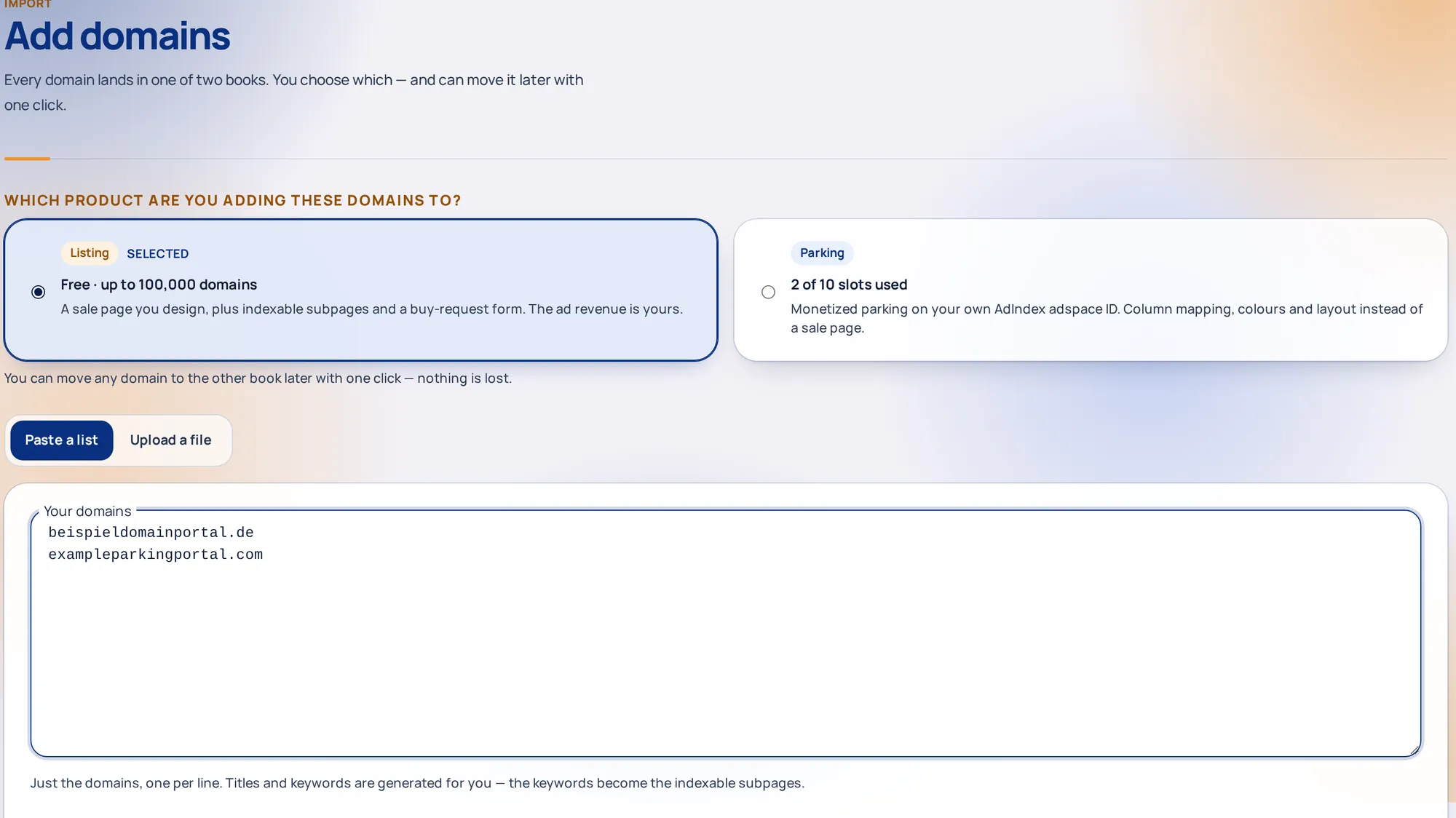
Add your domains
Paste a list or upload a file. Pick the product first, then the domains land in that book with everything they need to go live.
- Paste or upload. One domain per line, with optional keywords after a tab, comma or semicolon. Or download the Listing or Parking CSV template, fill in only the domain column and upload it: every empty cell is filled in for you.
- Up to 2,000 domains are added right away. Bigger lists, up to 100,000 per import, run in the background with a progress page you can leave and come back to.
- Set the price and design for the whole import as a whole amount in EUR, or price each domain in the table that opens afterwards. For a large portfolio, import a price list from CSV with a preview, then search and page through the table.
Why it mattersA thousand domains take as long as one. You never type anything twice.
| domain | title | description | keywords | |
|---|---|---|---|---|
| 1 | beispieldomainportal.de | filled in for you | filled in for you | generated |
| 2 | exampleparkingportal.com | Example parking portal | filled in for you | domain parking / ppc |
| … | 49,998 more rows |
Choose Listing or Parking
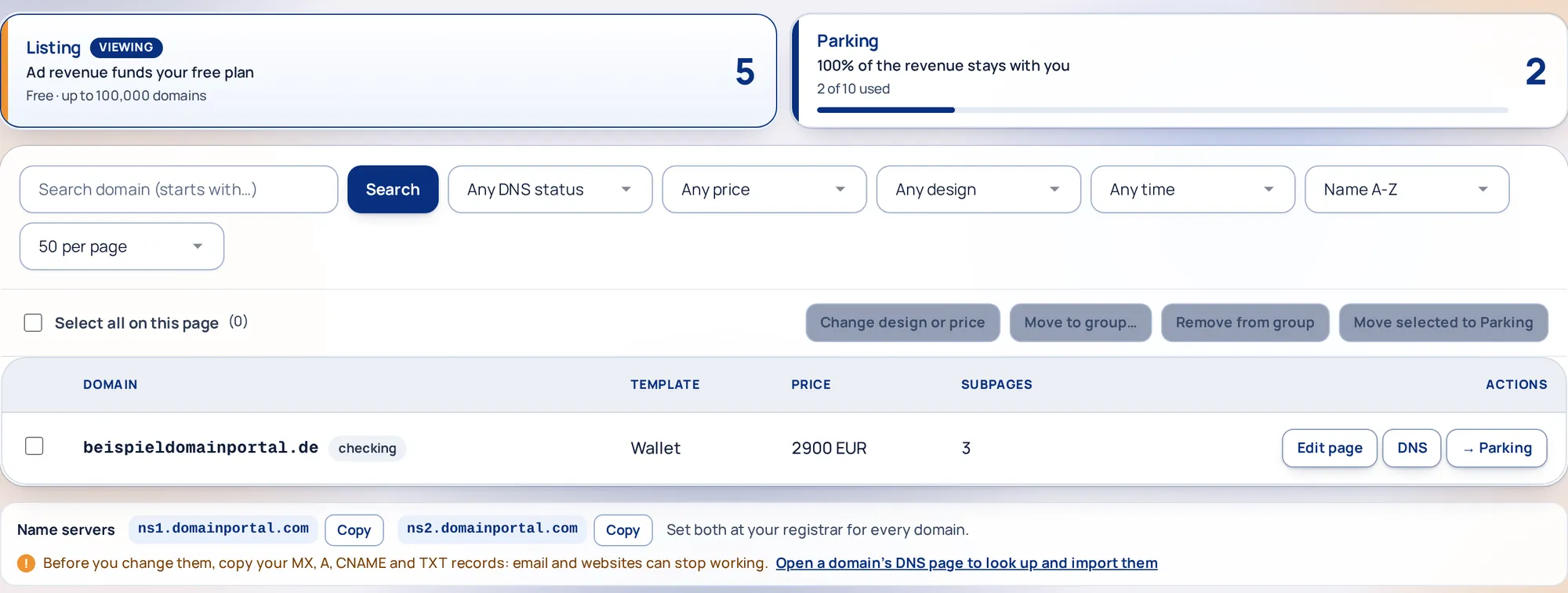
Listing puts a domain up for sale on a page you design. Parking monetises it on your own AdIndex adspace ID. You decide per domain, and you can move it later.
- Listing is free up to 100,000 domains, with no listing fee and no commission when you sell.
- Parking includes 10 domains on a shared server; a Cloud or Dedicated server adds capacity. The click-out revenue is credited to your adspace ID in both books.
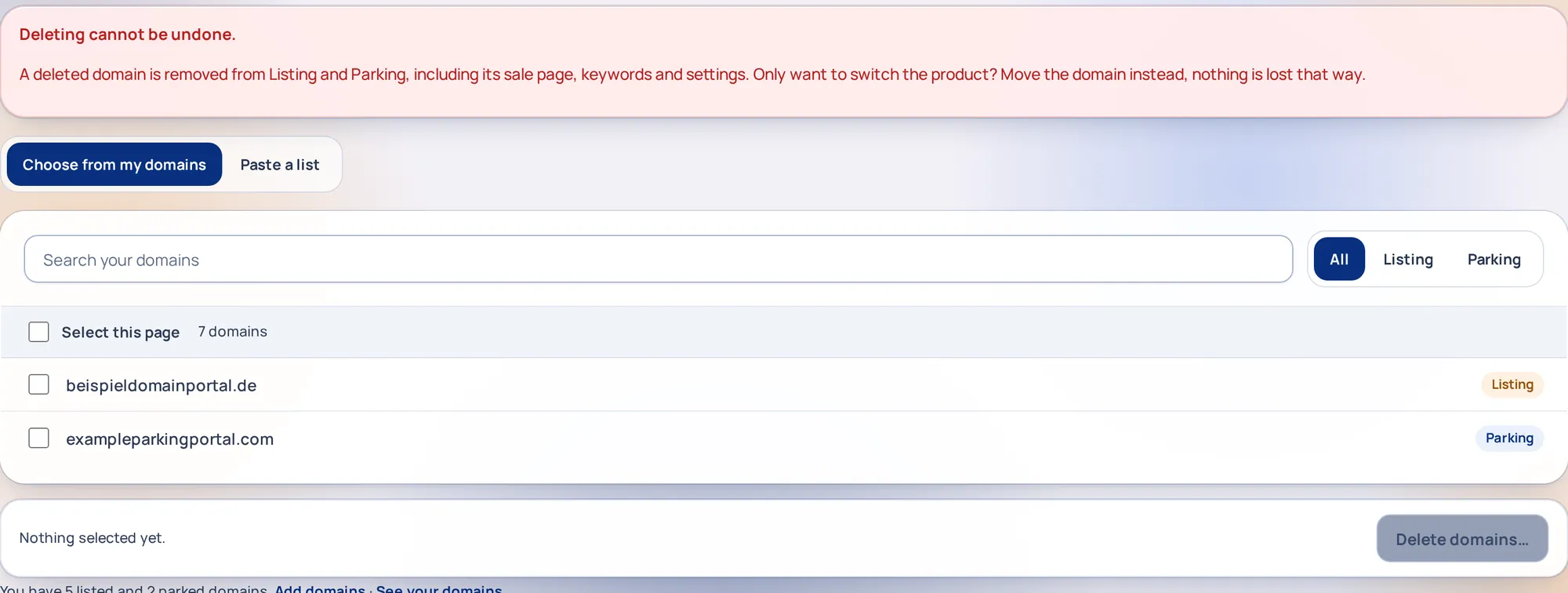
- Move with one click. Tick domains and use Move selected, or the arrow in a row. Deleting lives under More, Tools, with a warning window before anything goes.
Why it mattersA premium name deserves a sale page; a traffic name deserves ads. One portfolio, both jobs.
Point the name servers at us
Set ns1.domainportal.com and ns2.domainportal.com at the company where you bought the domain. Until you do, the domain does not reach us.
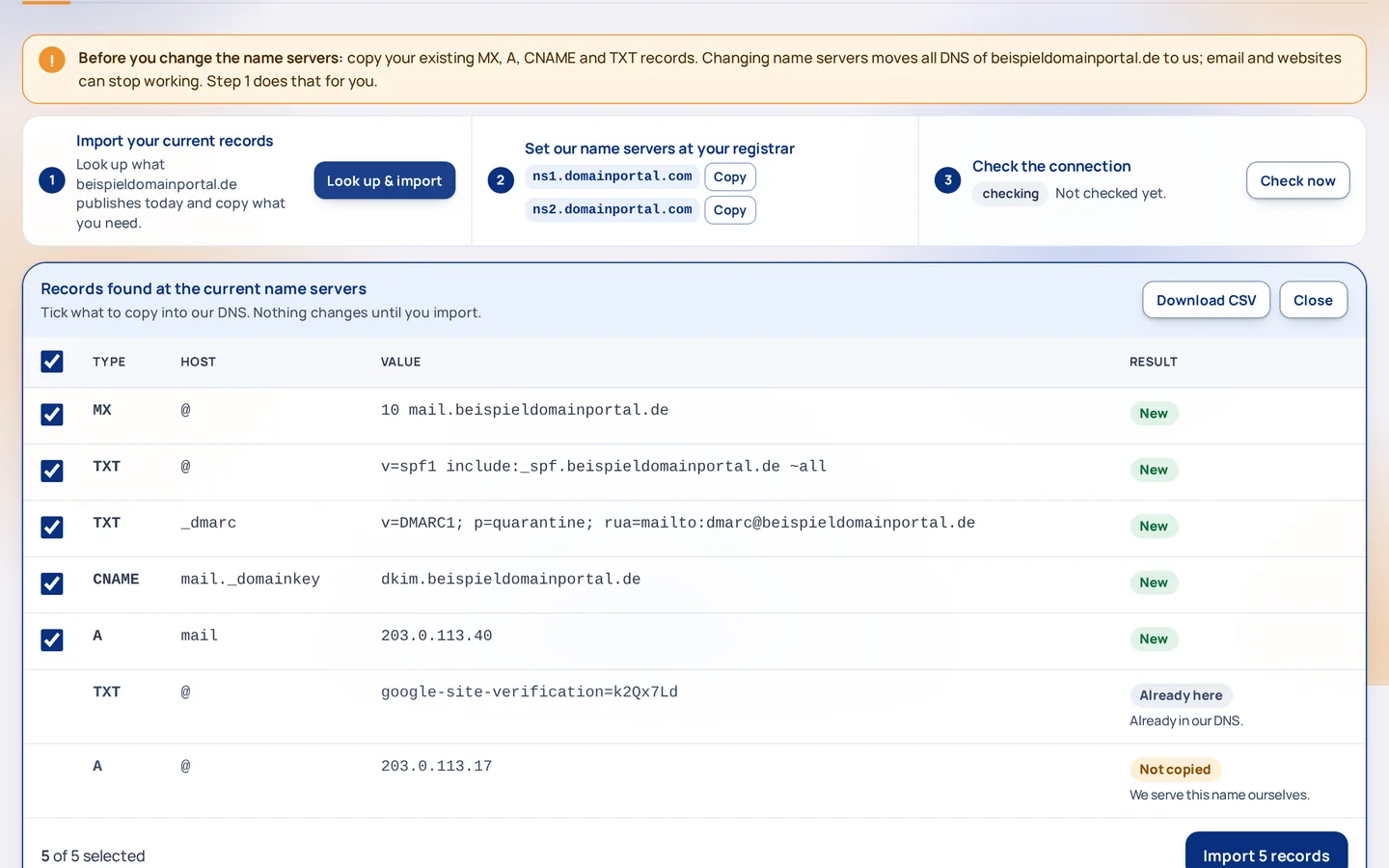
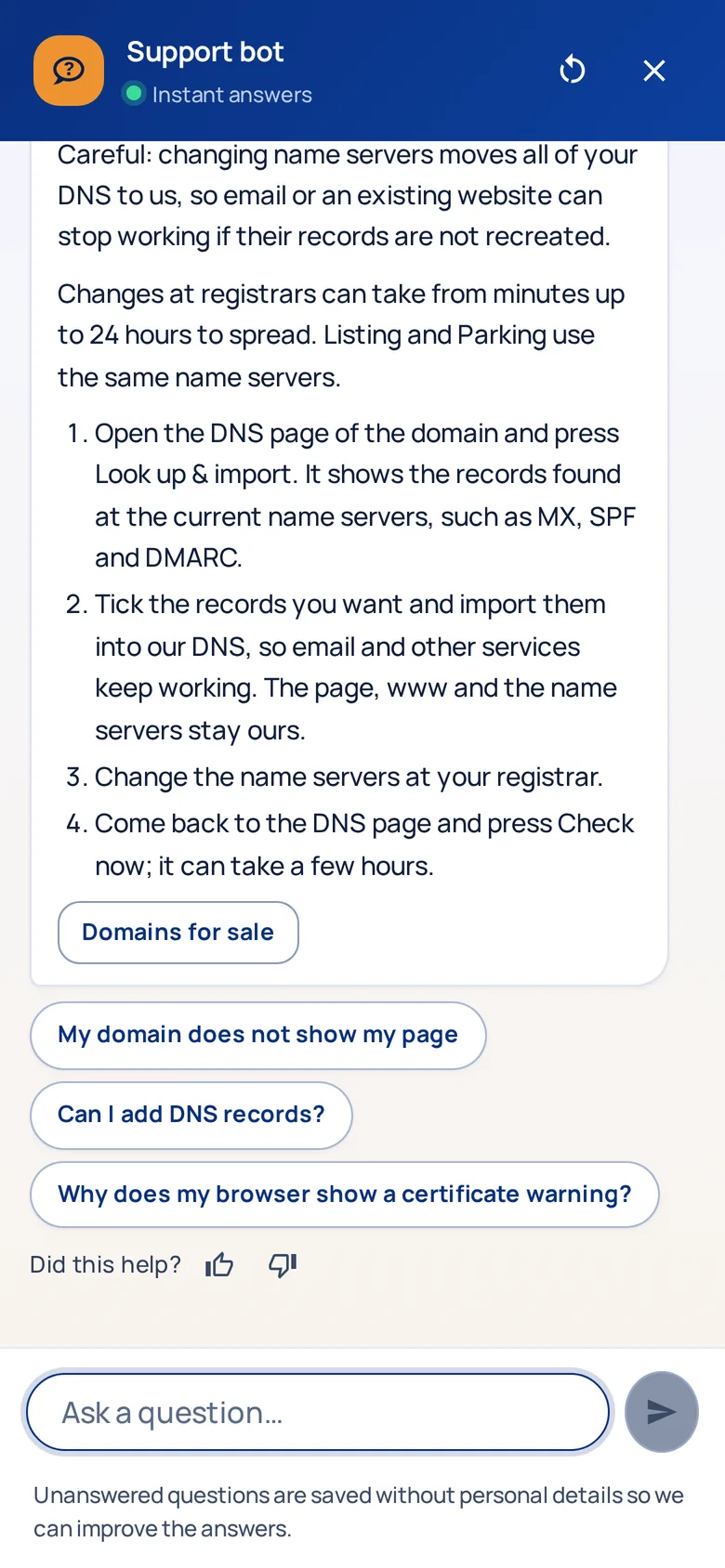
- Read the warning first. Changing name servers moves all DNS to us, so email, subdomains and verification records stop working unless they live in our zone. The DNS page walks you through it in three steps.
- Look up & import. One click finds the MX, SPF, DMARC, DKIM and mail-host records at your current name servers and previews them as New, Already here or Not copied. Import all of them or only the ones you tick. You can also add MX, CNAME, A, AAAA and TXT records by hand.
- Then check the connection. Press Check now, or wait: we check automatically and email you if something is off. The HTTPS certificate arrives by itself, usually within an hour.
Why it mattersThis is the one step that can break something you still use. We copy the old records before you touch anything.
Design and price the sale page
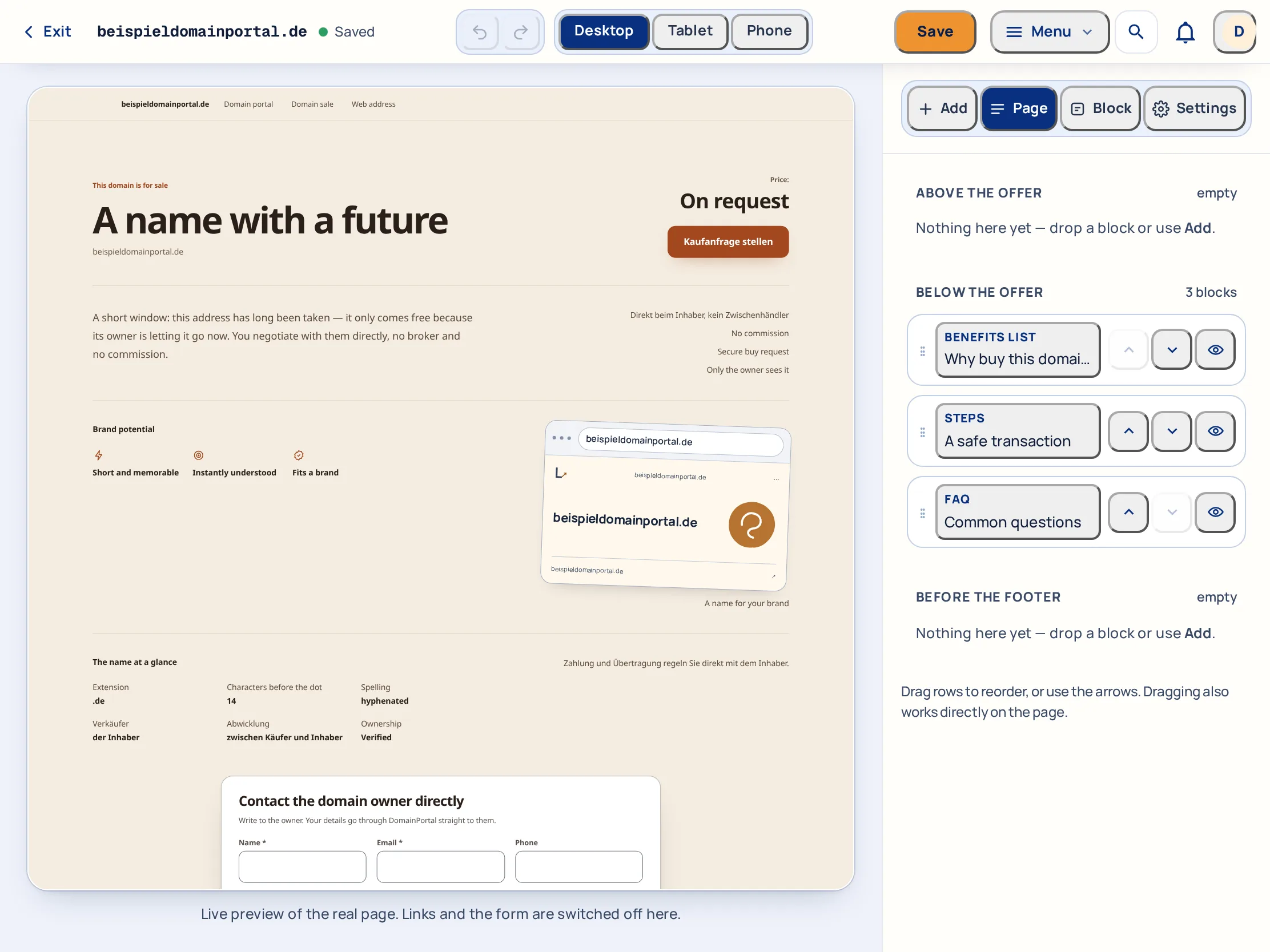
Open Edit page: the editor sits on the left, the real page on the right. Pick a design, write a headline or leave it to the page, and decide how the price appears.
- 118 designs, from a plain letter to a full stage. The preview is rendered by the same engine your visitors get, on desktop and phone width.
- Three price modes: a price (whole amount, no cents), on request, or on request with a floor so low offers arrive marked.
- Keywords become subpages. Each one is an indexable page on your domain that links back to the offer. Changes go live within about 5 minutes, and many domains can be changed at once.
- Edit by clicking on the page. Click a headline or a paragraph in the preview and type, add text, benefit or FAQ blocks, drag them into order, change the colours and hide elements you do not need.
Why it mattersA buyer judges the name by the page it sits on. The page should look like the price.
A buyer sends an inquiry
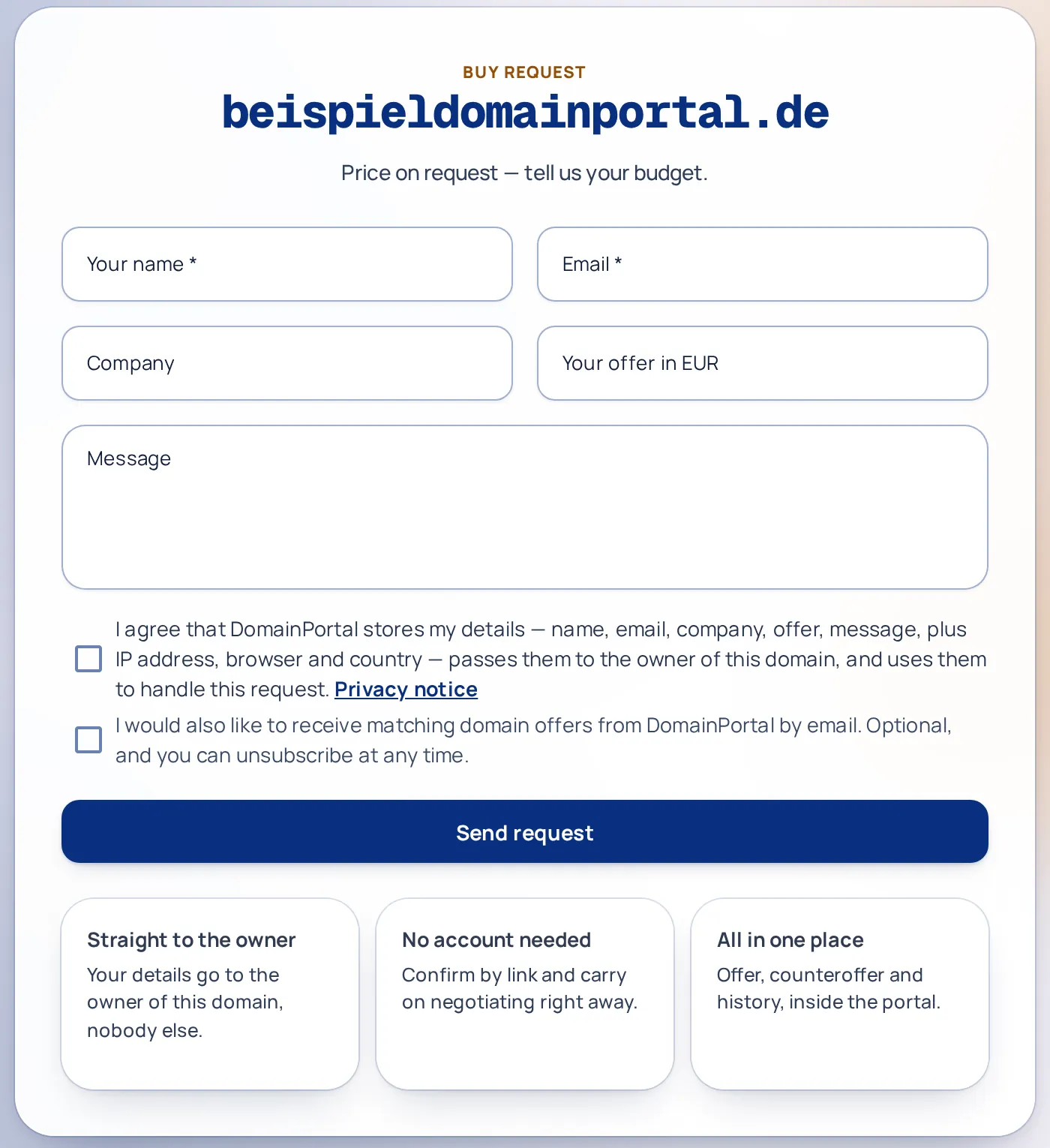
The form sits on your sale page and posts into the portal. The buyer states a budget or a message, confirms the request from their own mailbox, and only then does it reach you.
- Nothing reaches you unconfirmed. The sender clicks a link in their own inbox first. That single rule stops more spam than any filter.
- Requests with spam signals are held for a check by us. In every thread a Who is asking card shows what we know about the buyer and a trust indicator.
- You stay in control: switch the form off per domain, or set a floor so low offers arrive marked.
Why it mattersYour address is never printed on the page, so your sale page does not turn into a spam magnet.
Negotiate in the inbox
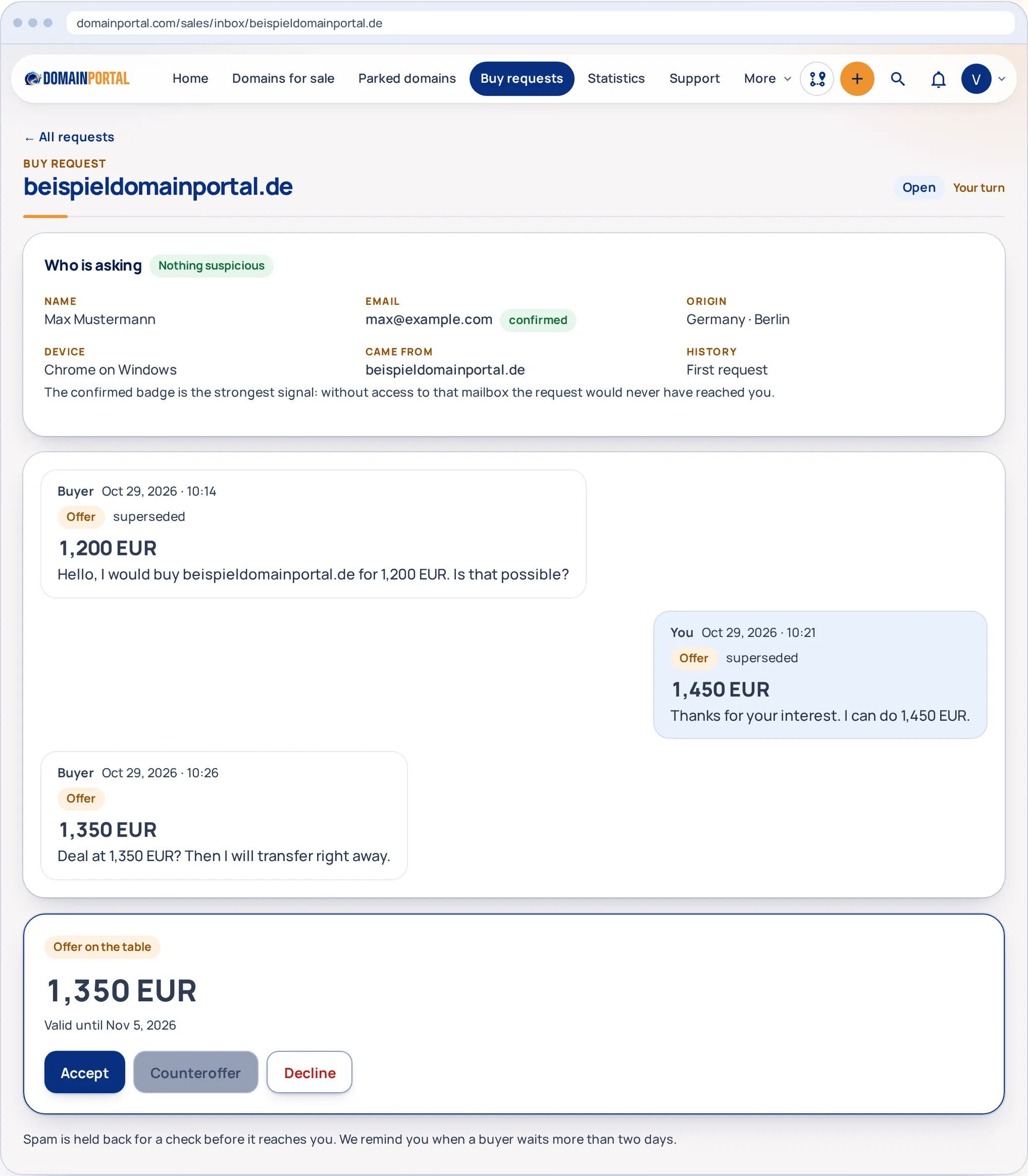
Messages and offers share one timeline. A counter-offer replaces the previous one, so it is always clear which figure stands and whose turn it is.
- Exactly one offer on the table. Accept, counter or decline; the superseded figures stay readable in the history.
- Email keeps you posted. Every reply arrives as a notification, and we remind you when a buyer has waited more than two days.
- Contact details stay hidden. The buyer writes to the portal, you answer from the portal. Your email address never changes hands.
Why it mattersQuick, clear answers close more sales. The inbox shows the open offer and whose move it is at a glance.
Accepted: what happens next
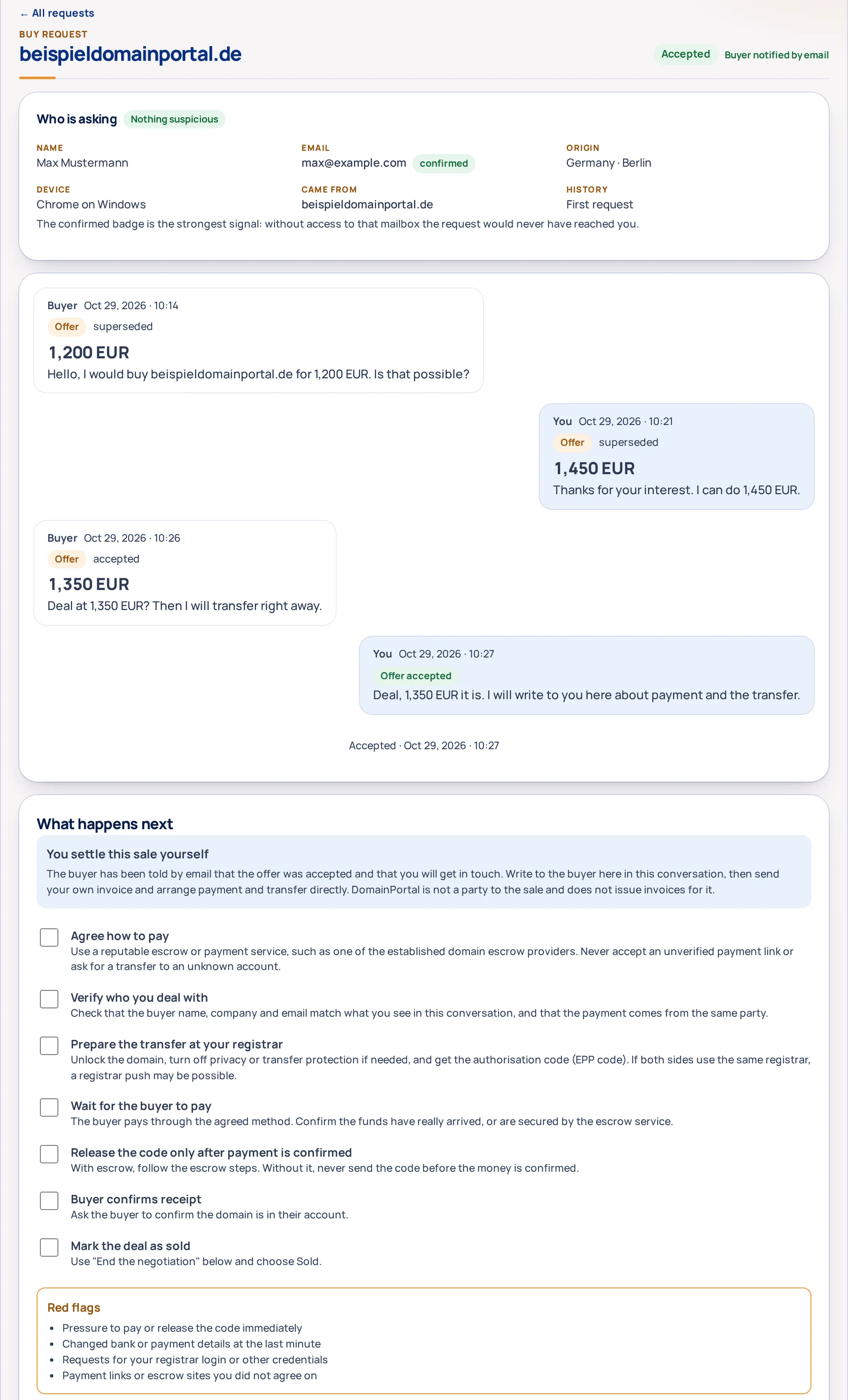
Accepting tells the other side you agree; they get an email right away. From here the two of you settle the sale directly, and the conversation stays open for it.
- DomainPortal is not a party to the sale. We do not hold the money, act as escrow, transfer the domain or take a commission.
- The seller issues the invoice and arranges payment and transfer with the buyer, ideally through a reputable escrow service.
- A What happens next panel walks both sides through it, with red flags to watch for. When it is done, end the negotiation as Sold, Sold elsewhere or No deal.
Why it mattersYou keep the full price and the full control. We make sure nobody is left guessing what to do.
Statistics, tools and support
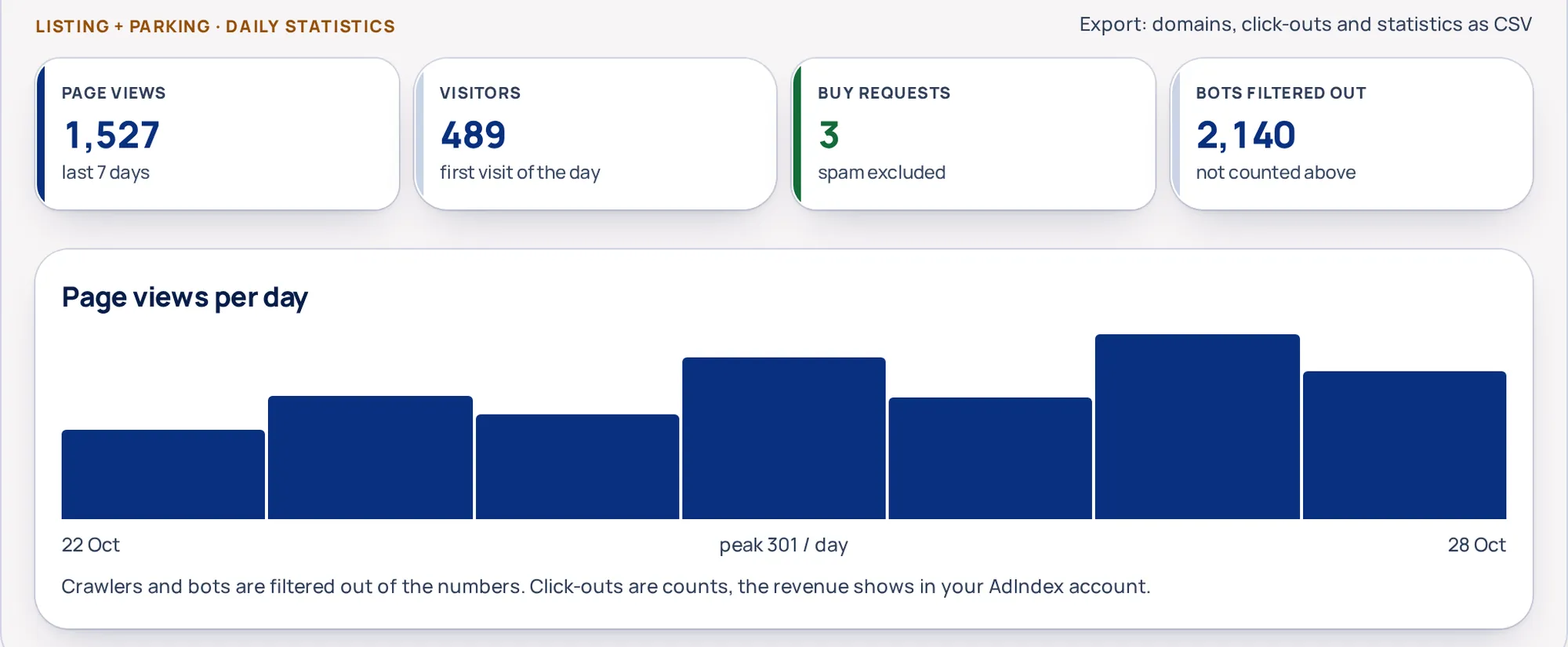
See what your pages do, export what you need, and get help from a person or from the Support bot without leaving the portal.
- Daily statistics show page views, visitors and buy requests per day and per domain, with bots and crawlers filtered out. Export gives you domains (25 columns, streamed, basics re-importable), click-outs and statistics as CSV.
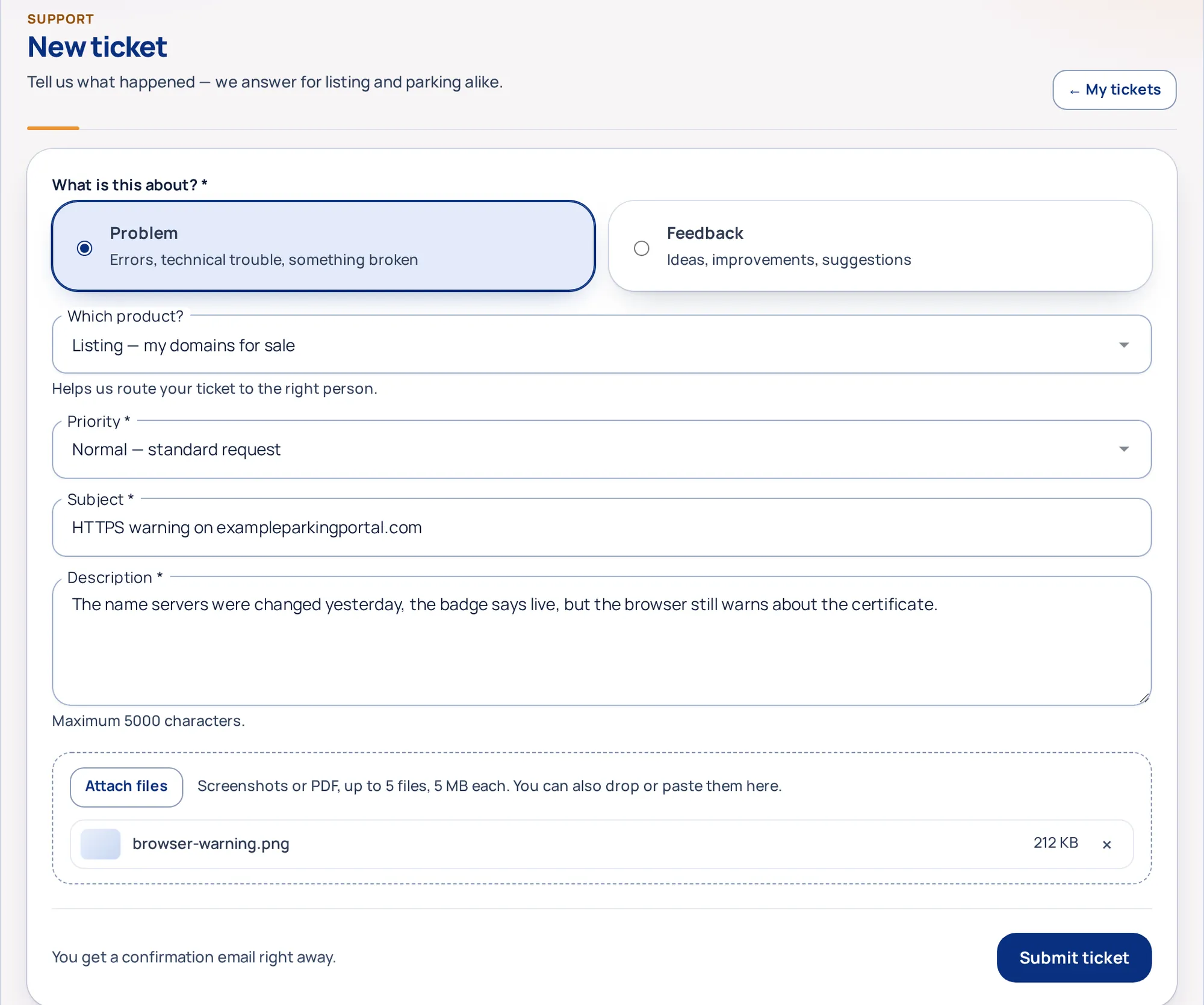
- Tickets with attachments. Describe the problem, drop in screenshots or a PDF (up to 5 files, 5 MB each), and a person answers in the ticket and by email. Only you and support can open the files.
- The Support bot answers from our help pages, can look at your own account, and hands you to a ticket when it does not know. On a phone it fills the screen.
- Deleting is a tool, not a button. Pick domains or paste a list, read the warning that names them, and type DELETE for 10 or more.
Why it mattersA portfolio is only as good as what you know about it.
The same eight steps, at 100,000 domains
Everything above works for ten domains. These are the parts that keep it working when the list gets long: one table for the whole portfolio, a template that fills itself in, exports that give everything back, and a portal that fits in your pocket.
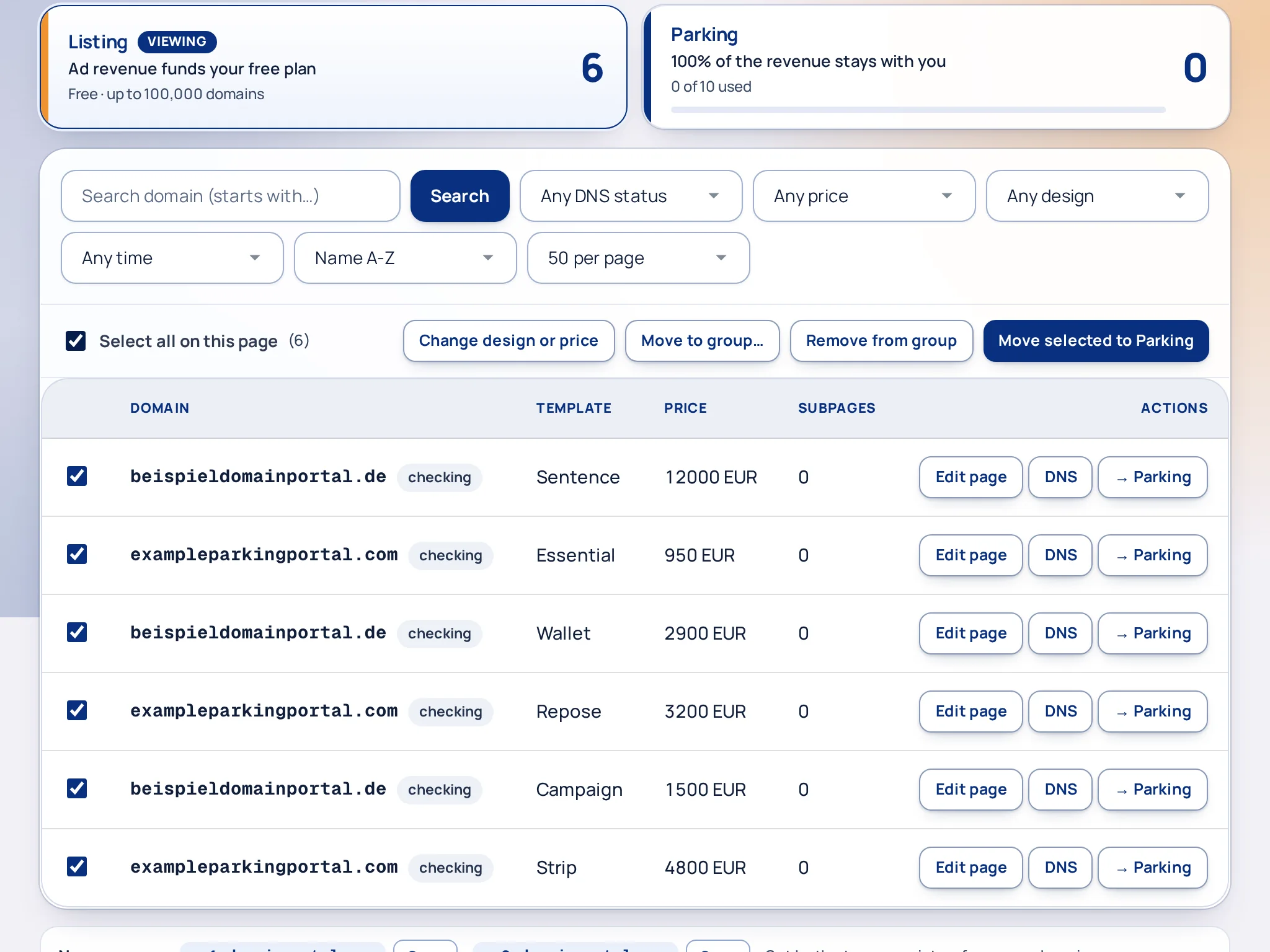
- Filters and saved views. DNS status, price, design, group and date, plus search. Save a view such as Needs name servers and come back to it.
- Select all matching domains, not only the page you see, then change the design or price, move them, group them or delete them.
- Exports with 25 columns, streamed so they work at any size; the first ten column names match the import page, so the basics can go back in.
- 100,000 rows per import from the CSV template, in the background with progress, and a price list from CSV with a preview.
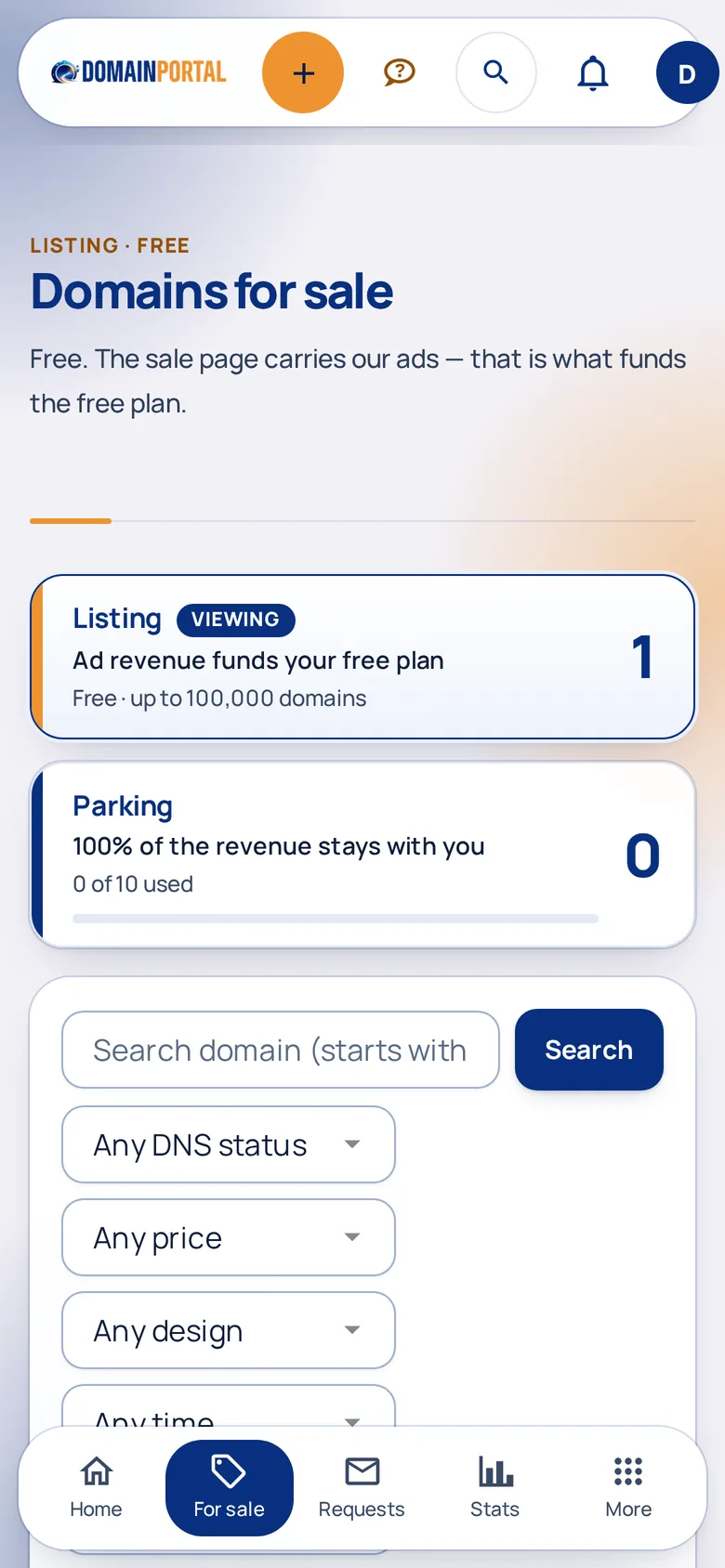
- A bottom tab bar on the phone with Home, Domains for sale, Buy requests and Statistics; the rest sits behind More.
- The Support bot fills the screen on a phone, with no pinch-zooming, and hands over to a ticket with screenshots when it cannot help.
- All 118 sale designs measured on a phone screen: nothing overflows, text stays readable, price and call to action sit in the first screen.
Pick a design that fits the name
From a plain business letter to a full stage. Every design carries your price, your text and the inquiry form, and you can switch at any time without losing anything.
Click a name or a thumbnail: that is the real rendered page, not a picture of one. The same switch sits in your account, per domain.
Nobody ever sees your email address
Not the buyer, not their crawler, not the search engine. Parked domains normally print the owner's address straight into the page source; that is how a sale page turns into a spam magnet. We put a form there instead, and the buyer has to confirm from their own mailbox before you hear a word.
Common questions
The short answers to what domain owners ask before they list. Everything else, from costs to cancelling, is on the FAQ page.
All questions and answers →What does Listing cost?
Nothing. Up to 100,000 domains, no listing fee, no commission when you sell. Parking includes 10 domains; more capacity needs a server. More in the FAQ
Do I keep ownership of my domains?
Yes. Your domains stay registered with your registrar and in your name. We only serve the pages you point to us. More in the FAQ
Will my email keep working when I change name servers?
Yes, if you import the mail records first. On the DNS page, Look up & import finds the MX, SPF, DMARC and DKIM records at your current name servers and copies the ones you tick into our DNS before you switch. More in the FAQ
How do I import 50,000 domains?
Download the CSV template, fill in only the domain column and upload it. Lists above 2,000 rows run in the background with a progress page, up to 100,000 per import. Prices can be imported from a CSV with a preview. More in the FAQ
Who sees my email address?
Nobody. Buyers write through the form, the request reaches you in the portal, and you answer from there. More in the FAQ
What happens after an offer is accepted?
The other side is told by email, and a What happens next checklist walks both of you through payment, verification and the transfer. The seller issues the invoice; DomainPortal is not a party to the sale. More in the FAQ
Can I edit my sale page myself?
Yes. Open Edit page, click any text on the live preview and type. Add text, benefit or FAQ blocks, drag them into order, change the colours and hide what you do not need. More in the FAQ
Try it with ten domains
Create an account, paste a list, pick a design. If it is not better than what your domains do today, you have lost two minutes.
No credit card requiredListing stays free, no commissionUp to 100,000 domains